14 / Developer tools
Firefox Dev Tools.
The problem
Web developers spend their day inside the browser, and Firefox gave them a set of tools that had been built one at a time. Each tool opened in its own way and none of them were designed to work with the others. A developer checking a layout bug moved between several tools many times a day, and every move meant opening something new.
Open tools also covered the page. Side panels took width from the thing the developer was trying to look at, and that is a particular problem when you are testing how a layout responds to a narrower window. The page was the subject of the work, and the tools sat on top of it.
A redesign needed to bring the tools into one structure and give the page its space back, in a way engineers across the team could build.
The approach
I led research and interaction design. I started with developers at work, moved to sketches and a UI framework spec, and used an HTML prototype to settle the behavior.
- 01
Field research with developers
I spent time with web developers where they work, and watched how they moved between tools while debugging. The thing I kept noticing was how often one tool led to another and how little room the page had left. That gave us two design goals: fewer switches, and a smaller footprint on the page.
What I saw while watching developers, and the two goals that came from it. Every later decision about the toolbox had to serve one of these two. - 02
Sketching the toolbox
I sketched the toolbox first on paper. A Web Developer menu opened a flyout of tools. The toolbox itself ran across the bottom as a bar of tabs with a few icon tools on the right, and it collapsed to a single row. I tried three arrangements of the same controls, and I added a pin button for panels people wanted to keep open.
Early sketches of the toolbox. - 03
The UI framework wireframes
I turned the sketches into annotated wireframes in the UI framework spec. They name each region: navigational toolbar, tabbed tools, floating tools, tool content, contextual toolbar and command line. A panel could detach into its own window, and a menu let the developer choose which tools showed as tabs.
Annotated wireframes from the UI Framework spec document. - 04
HTML prototype and video demos
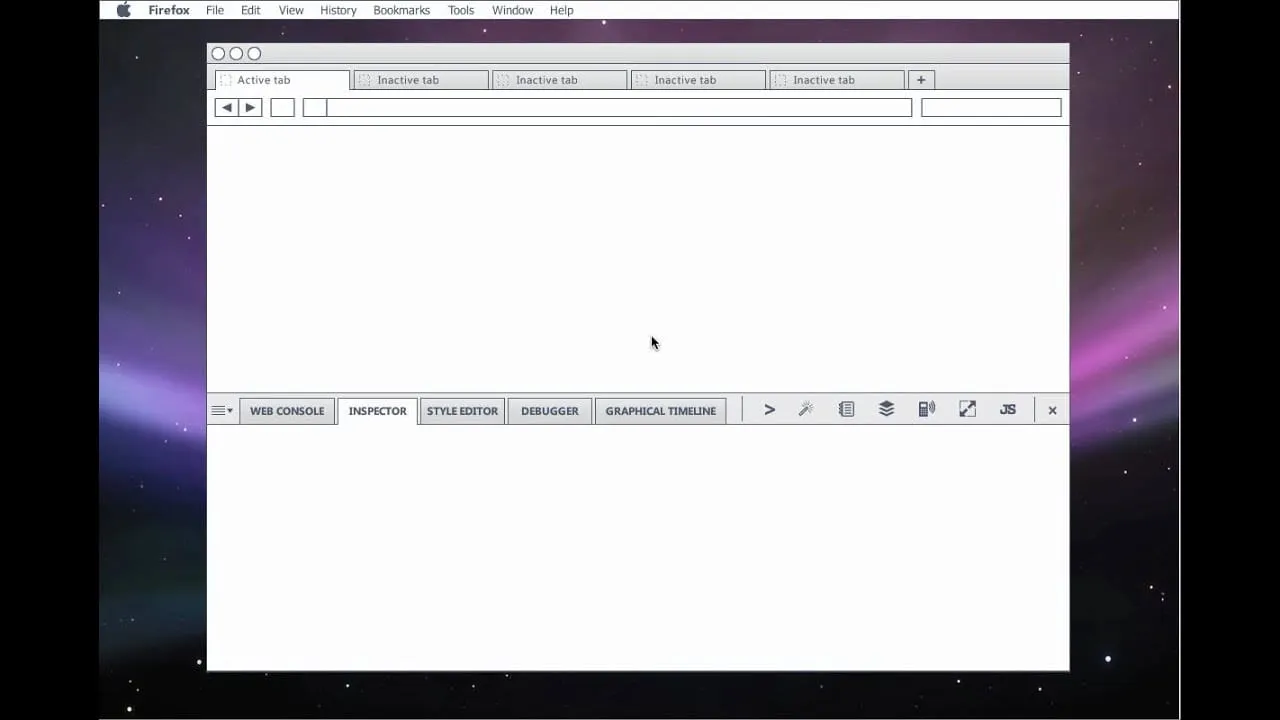
Wireframes could not show how the toolbox opens, collapses or hands a panel off to a window. I built an HTML prototype and recorded video demos of it. Engineers, product managers and the rest of the team could watch the interaction and ask about it before any code existed.
Motion was the gap in the wireframes. A working prototype and videos of it let people judge the open, collapse and hand off moments before any code existed. - 05
The live build
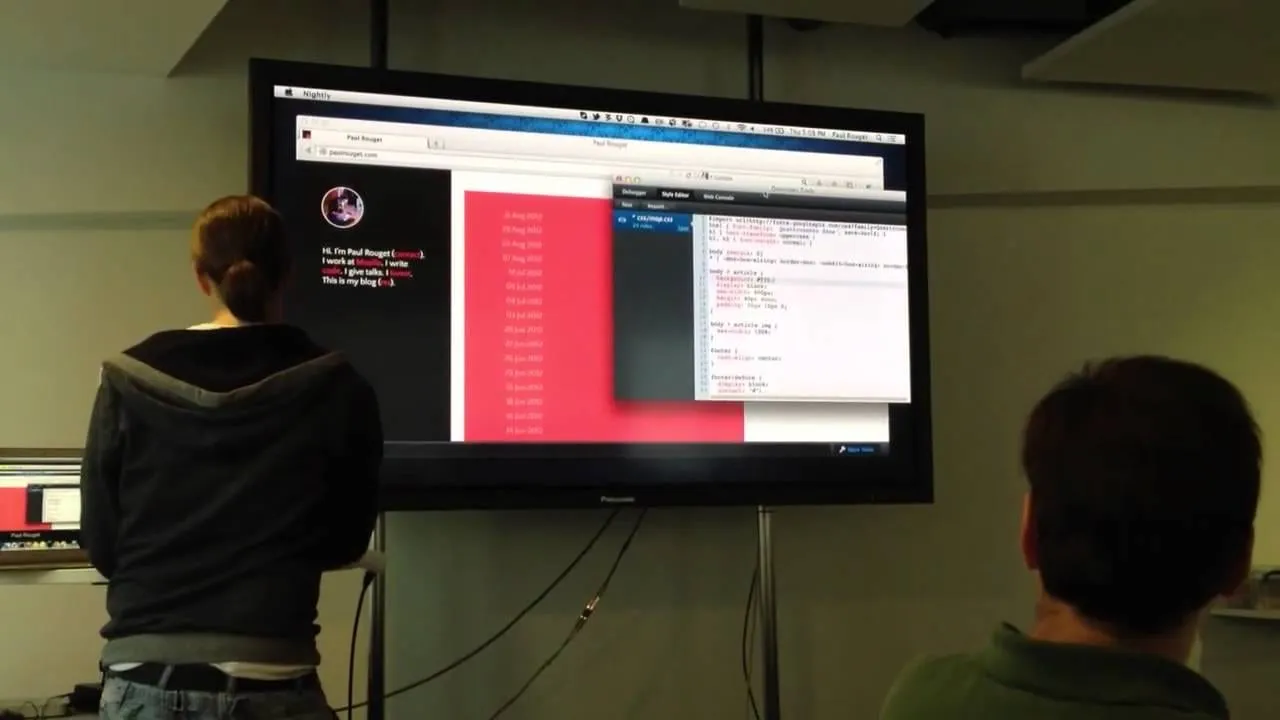
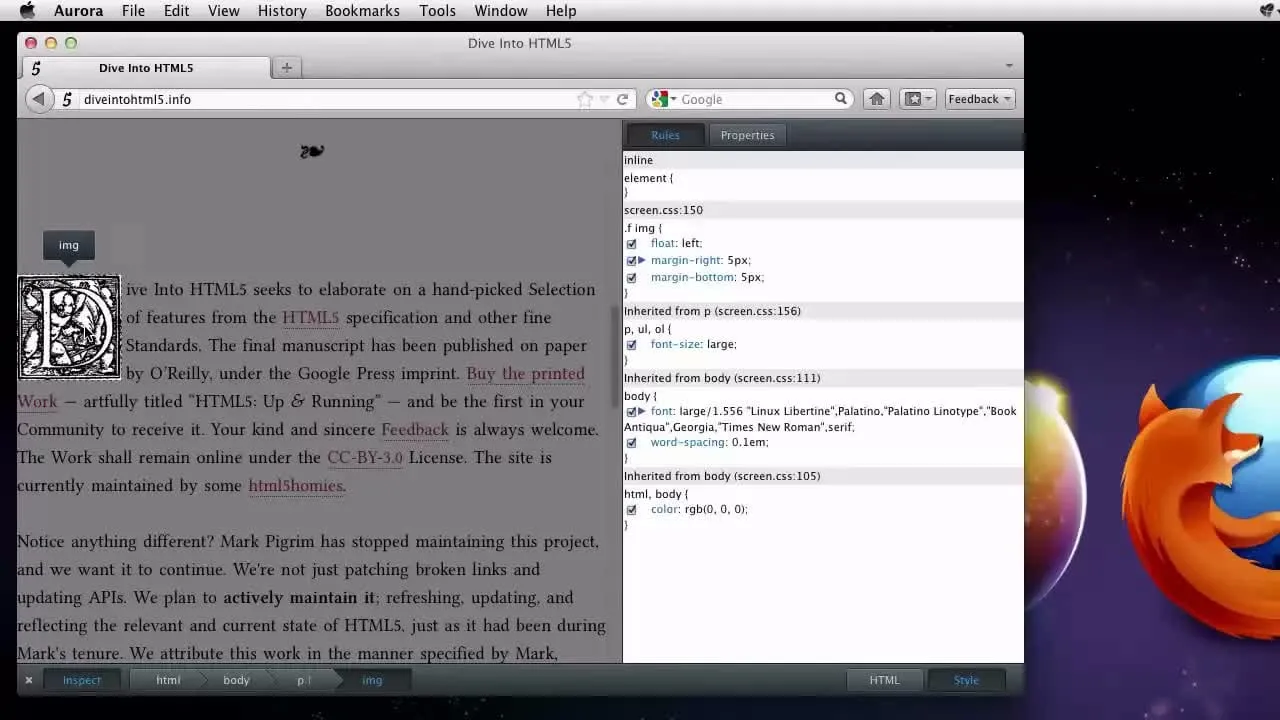
Engineers built the framework from the spec and the prototype, and the Inspector became the first place to see it work. The tools sat in one panel under the page, and the page kept its width. Engineer Paul Rouget later showed a live build of the design in London.
Inspector tool in action in Firefox. - 06
Writing up the process
I wrote an article on the Mozilla UX blog about the design process, so the wider community could see the reasoning and respond. It covered why the old panels left the page and what the Developer Toolbox and its command line were meant to do. Stephen Horlander's visual design carried the images.
The Mozilla UX blog article on the design process.Screenshot of Brian's article on the Mozilla UX blog, Coming soon: the Firefox Developer Toolbox, October 2012. Source: Mozilla UX blog ↗
The solution
The Developer Toolbox is one panel docked beneath the page. Tools appear as tabs along its top edge, with a few quick-access icons on the right and a preferences menu on the left that controls which tools are shown. At the bottom, a contextual toolbar and a command line sit under the tool's content. A developer opens the toolbox once and moves between tools without leaving it.
The key decision was to remove the side panels. A single bottom panel kept the page at full width, which mattered for responsive layouts, and gave every tool one predictable place. Tabbed tools and floating tools gave the same structure room for both frequent and occasional use.
What I delivered
- Field research with web developers
- Sketches of the toolbox
- Annotated wireframes in the UI framework spec
- HTML prototype of the toolbox interactions
- Video demos for engineers and product managers
- Mozilla UX blog article on the design process
See it working
Value added
For people using it
Developers had one place to find their tools and the page stayed visible while they used them. A command line and a tab strip meant switching from one tool to another took a click.
For the business
Mozilla had a clearer story for Firefox as a place to build for the web. The tools shared one structure, so new tools had somewhere to go from the start.
For the team
A prototype and short videos let engineers and product managers react to real behavior. The spec named every region of the toolbox, so people used the same words in reviews and in bug reports.
The result
Delivered wireframes, an HTML prototype and video demos. Paul Rouget showed a live build of the design in London in 2012. Stephen Horlander did the visual design, and I wrote about the process on the Mozilla UX blog.
What I took from it
The HTML prototype did more to align the team than the spec did, because people could argue about something they had all seen move. Next time I would build it earlier and keep it running for the whole project, so questions go to the prototype before they come to me.
Background
Mozilla's UX blog previewed the Developer Toolbox on October 24, 2012. It was a single panel below the page that replaced the earlier side panels, with a developer command line and easier access to tools. Side panels were dropped partly because they distorted how responsive layouts look. Firefox 16 had shipped on October 9, 2012 with a new Developer Toolbar. Mozilla's DevTools meeting notes from August 2012 mention an update from Dils on a UI inventory of the developer tools.